

How to Take Better Lecture Notes with Tech
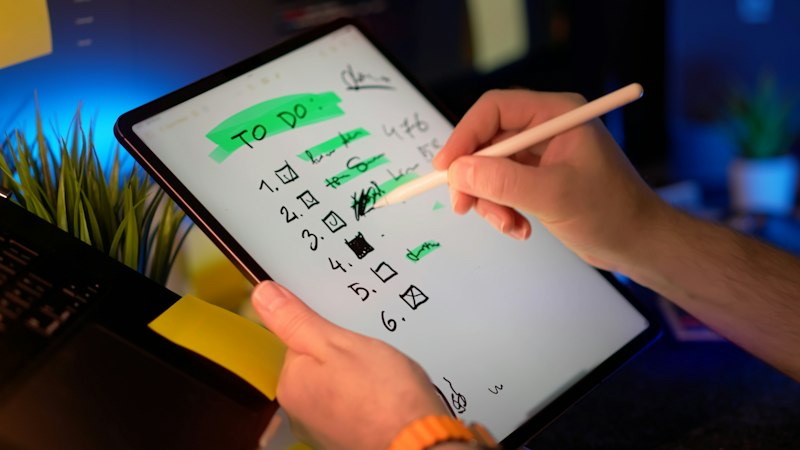
Tech can make lecture notes better, or it can turn them into a pile of recordings you never replay. The difference is a plan. Here is a simple one that works with a recorder, a smart pen, an e-ink notebook or just a laptop.
One rule before you start: the tools capture and organize. You still do the learning. Writing things in your own words is the part that helps you remember.
Before class: set up in two minutes
- Charge it. Check the battery the night before. A recorder with a stated battery life, like the Pocket AI recorder's up to 4 days, tells you when to charge. A smart pen with no stated battery life needs a nightly check.
- Make a page for the lecture. Write the course, date and topic at the top. On a Rocketbook, use the Smart Title box so the scan files itself.
- Skim the slides or reading. Five minutes of preview makes the lecture easier to follow, and you'll know which parts to write down.
- Ask about recording. Recording laws and consent rules vary by state and country, and many schools and instructors have their own policy. Ask first.
During class: write less, mark more
You can't write everything, and you shouldn't try.
- Write key ideas, not sentences. Short phrases, arrows and questions. If you're recording, you don't need every word.
- Mark the moments you want to hear again. Write the time or a mark next to a confusing part. On a smart pen with audio-linked notes, like the Ophaya set, tapping that line later plays what was said right then.
- Leave space. Skip a line after each idea so you can add to it later.
- Put away the phone. If your notes are on an e-ink notebook or paper, your phone can stay in your bag. That alone helps.
After class: the 20-minute review
This is where most of the learning happens. Do it the same day if you can.
- Fill the gaps. Replay only the parts you marked, not the whole lecture. Add what you missed in your own words.
- Pull in quotes from the reading. A scanning pen like the Scanmarker Air copies a printed line into your notes so you don't retype it. Add the page number so you can cite it.
- Write a short summary. Three to five sentences, by hand or typed, at the bottom of the page. Do this yourself first. Then, if your device has an AI summary tool, compare. What did it catch that you missed? What did it get wrong?
- Turn it into questions. Write two or three questions the professor might ask. These become your study list.
- File it. Convert handwriting to text if your tool can, and save it where you'll find it: one folder per course.
Pick the tool that fits your problem
| Your problem | Tool that helps |
|---|---|
| Lecture moves too fast | A voice recorder, plus marks in your notes for replay |
| Notes scattered everywhere | An e-ink notebook or a smart pen that syncs to one place |
| Can't mark up library books | A scanning pen for quotes |
| Phone distracts you | Paper, a smart notebook or e-ink instead of a laptop |
| Hard to read your own writing | Handwriting-to-text on a smart pen or e-ink notebook |
Common mistakes
- Recording everything and replaying nothing. If you won't replay it, mark the parts you will.
- Letting the AI write the summary. You remember what you write. Use AI to check your summary, not replace it.
- Using a tool your class doesn't allow. Rules vary by school and by course. Check the syllabus, especially before tests.
- Too many apps. Pick one place for each course's notes and stick with it.
The short version
Preview before class, write key ideas and mark confusing moments during it, and do a 20-minute review the same day. Any tool works better with that routine.
To compare five AI study gadgets on paid plans, phone needs and battery, see our best AI gadgets for students guide. Deciding between a gadget and the apps you already have? Read AI tools for college students: gadgets vs apps.