

How to Film a Youth Basketball Game with Your Phone
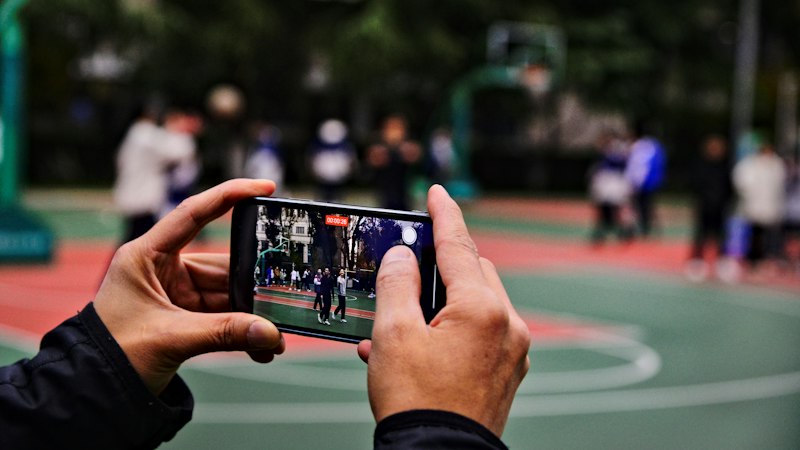
Your phone can film a whole basketball game well enough to share with family or study with a coach. The hard part isn't the camera. It's where you stand, how you hold it, and whether the battery lasts until the final buzzer.
Check the rules first
Before you film, ask the coach or league what's allowed. Many leagues and gyms have rules about filming and streaming minors, and some don't allow streaming at all. Recording laws and consent rules also vary by state and country. A quick question before tip-off saves an awkward talk later.
Pick your spot
The best view of a basketball game is from the side, near half-court, and up high.
- Half-court line. From here you can see both baskets without moving much. Filming from behind a basket makes the far end look tiny.
- Up high. Sit in the top rows of the bleachers if you can. Height lets you see over heads and shows where players are on the floor.
- Away from the aisle. People walking past will block the shot. Pick a seat at the end of a row against a wall if possible.
If there are no bleachers, a tall tripod at the sideline does the same job. Ask the gym staff where you can set one up so it isn't in anyone's way.
Use a tripod, not your hands
Holding a phone up for 32 minutes of game time is tiring, and your arm will shake. A tripod or a clamp on the bleacher rail keeps the picture steady. You'll also be able to actually watch the game.
A plain tripod works if you zoom out to show the whole court. The players will be small, but you won't miss anything.
Settings that help
- Landscape, always. Turn the phone sideways. A basketball court is wide.
- 1080p at 30 or 60 frames per second. That's sharp enough for most families and uses far less storage than 4K. Use 60 fps if you want smoother slow-motion of a fast break.
- Lock focus and exposure. On most phones, press and hold on the court until you see a lock icon. This stops the picture from going dark when a player in a white jersey runs past.
- Turn on airplane mode. A phone call can stop the recording. If you're streaming, use Do Not Disturb instead so the internet stays on.
Keep the phone alive
A full game with warm-ups can run over an hour. Video recording drains a battery fast.
- Start at 100 percent.
- Plug into a power bank during the game.
- Clear space first. An hour of 1080p video can take several gigabytes. Check free storage before you leave home.
Let an AI mount do the following
If a zoomed-out view is too small, an AI tracking mount turns your phone to follow the play. You set it on a tripod, pick basketball in its app, and it pans with players and the ball.
The XbotGo Chameleon is one example. Its listing says it follows players and the ball, works with iPhone and Android, and includes live streaming and highlight editing with no subscription. Your phone still does the recording, so the battery and storage tips above still apply.
Mounts made for vlogging are different. They usually follow one face, not a game. That's fine for filming your kid's free throws in the driveway, but not a five-on-five game.
After the game
- Trim it. Cut the timeouts and halftime so the video is easier to share.
- Make a highlight clip. Families love a 30-second clip more than a full game. Many AI sports apps can mark key plays for you.
- Share privately. Use a private link or a team group instead of posting publicly, especially when other people's kids are in the video.
For five AI cameras and tracking mounts compared, including which ones list basketball, see our AI camera for sports comparison.