

Do Translation Earbuds Work? What They Can and Can't Do
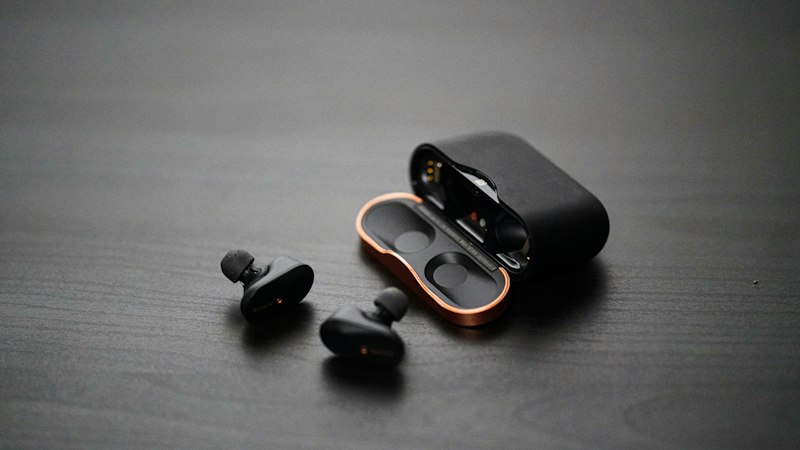
Translation earbuds sound like science fiction: someone speaks another language, and you hear it in yours. They do work for everyday talk, like asking directions, ordering food or checking into a hotel. But they work best when you know how they do it, and what they need from you.
How translation earbuds work
The earbuds themselves don't do the translating. They are microphones and speakers. The work happens in an app on your phone:
- A microphone picks up speech. On some pairs it's the earbud's own mic. On others, like Timekettle's LiveTalk, face-to-face mode uses your phone's microphone, so the phone has to stay close.
- The app turns that speech into text, translates it, and turns it back into speech.
- You hear the translation in your ear. The other person hears your words from the phone's speaker, or from a second earbud if you share the pair.
That's why every pair we looked at needs a phone and an app. Before you buy, check that the listing names the app and says it supports your phone, iPhone or Android.
Online vs offline translation
Most translation happens online, on the maker's servers. That's how a listing can claim 50, 100 or even 164 languages.
Offline translation runs on your phone instead. It covers far fewer languages, and you must download the language packs before you go. Timekettle's M3 lists 13 offline language packs, such as English to Spanish, Japanese and Korean. The LiveTalk lists 25 offline pairs.
Offline mode matters more than it sounds. You lose signal on planes, in subways, in the countryside, and anywhere your roaming plan is too pricey to use. If a listing doesn't mention offline use, plan on needing data.
What they handle well
- Short, clear exchanges. "Where is the train station?" "Two coffees, please." "What time is checkout?"
- Common language pairs. English with Spanish, French, German, Chinese or Japanese shows up in almost every offline list.
- Hands-free listening. Listen modes let you follow a tour guide or a short talk without holding up your phone.
Where they struggle
- There's a delay. The app has to hear a full phrase before it can translate it. Expect a short pause, and leave room for it.
- Noise. Busy streets and crowded rooms make speech harder to pick up. Makers add extra microphones and noise filters for this reason, but quiet spots still work better.
- Slang, jokes and fast speech. Translation apps do best with plain sentences.
- High-stakes talks. For a doctor's visit, a police report or a contract, use a professional interpreter. No earbud maker we looked at claims to replace one.
Watch the fine print on plans
This is where pairs differ most. Some, like the Timekettle M3, say no subscription is needed. Others include a set number of translation minutes each month, then ask you to buy a plan or a minute pack. The LiveTalk listing includes 200 minutes a month across all modes. Timekettle's site says the W4 Pro's audio and video translation on iPhone is part of a paid monthly plan, with a short free trial.
If a listing doesn't say anything about plans, assume you might pay later, and read the app's terms before you rely on it abroad.
Tips to get better results
- Speak in short sentences, then pause.
- Face the person and keep the phone between you if the app uses its mic.
- Download offline packs at home on Wi-Fi, and test them once in airplane mode.
- Charge before you go out. Translation uses more power than music. LiveTalk, for example, lists up to 4 hours of continuous translation per charge.
- Have a backup. A phone translation app is a good fallback if your earbuds die. See our guide to translator earbuds vs a phone translation app.
So, are they worth it?
If you travel often, talk with family in another language, or want both hands free, translation earbuds can make simple conversations smoother. Pick a pair with offline packs for your language, support for your phone, and clear terms on paid plans. The Timekettle M3 checks all three on its listing.
For five pairs compared side by side, see our AI translator earbuds comparison.